Check-Up Findings

🚀 Six Sneaky Workflow Mistakes That Keep Your CloseBot From Closing

A field guide for beginners and veterans—based entirely on what our Check-Up Agent found across 1,000+ checkups on real bots.

Ofer Avnery By Ofer Avnery
@ · August 11, 2025
CloseBot Real Wave Best Practices
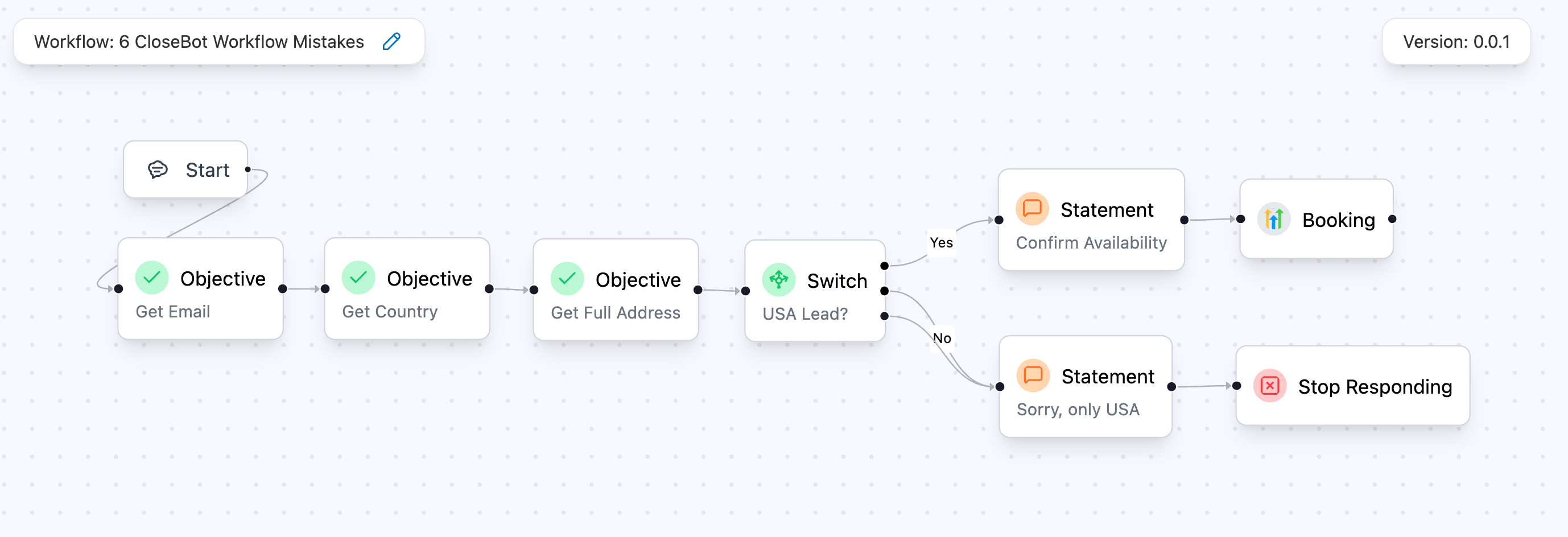
A well-wired CloseBot canvas

Picture this: your CloseBot greets a hot lead, nails the small talk… and then wanders off into the wilderness. We've all been there.

After auditing 1,000+ runs with our Check-Up Agent, the same six gremlins kept showing up—costing bookings, bloating token spend, and confusing teams.

The Check-Up Agent finds all of these in under a minute, before your prospects do.

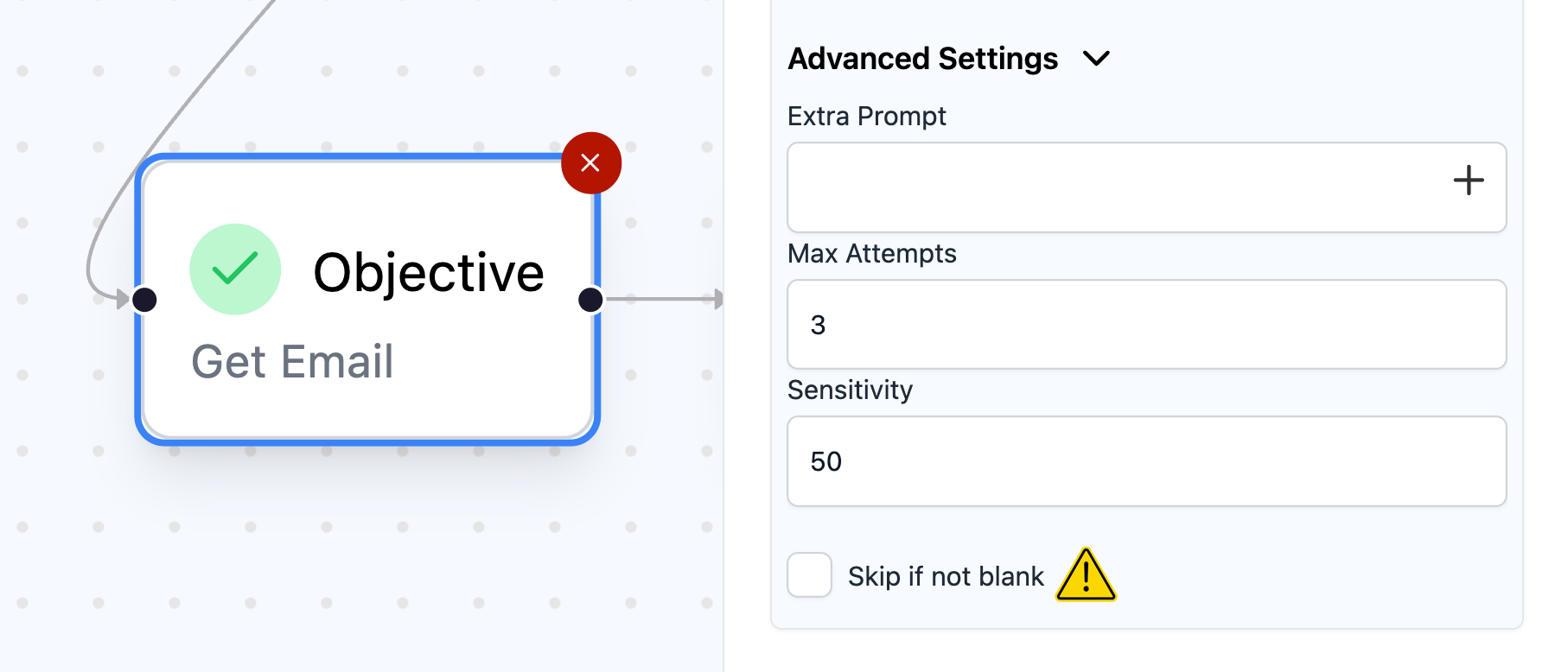
1. Duplicate Questions / Skip-If-Not-Blank OFF

The CRM already has contact.email, but your Objective asks for it again—sometimes twice. The usual culprit isn't malice; it's a duplicated or imported workflow where Skip-If-Not-Blank ended up unchecked or misunderstood.

Why it hurts
  • Conversations feel scripted → drop-offs rise
  • Transcripts bloat → token costs creep up
  • Teams ask, "Didn't we already have that?"
How to solve / avoid
  • Confirm the default: Skip-If-Not-Blank is on by default, but duplications/imports can misconfigure it. Double-check.
  • If you must reconfirm, frame it as validation: "Still the best email for you?" not "What's your email?"
  • Add a quick Branch before big question groups: if a field exists, skip gracefully.
  • Quick QA: In the builder, skim Objectives tied to CRM fields and ensure Skip-If-Not-Blank = ON.
Screenshot of an Objective with Skip-If-Not-Blank toggled ON

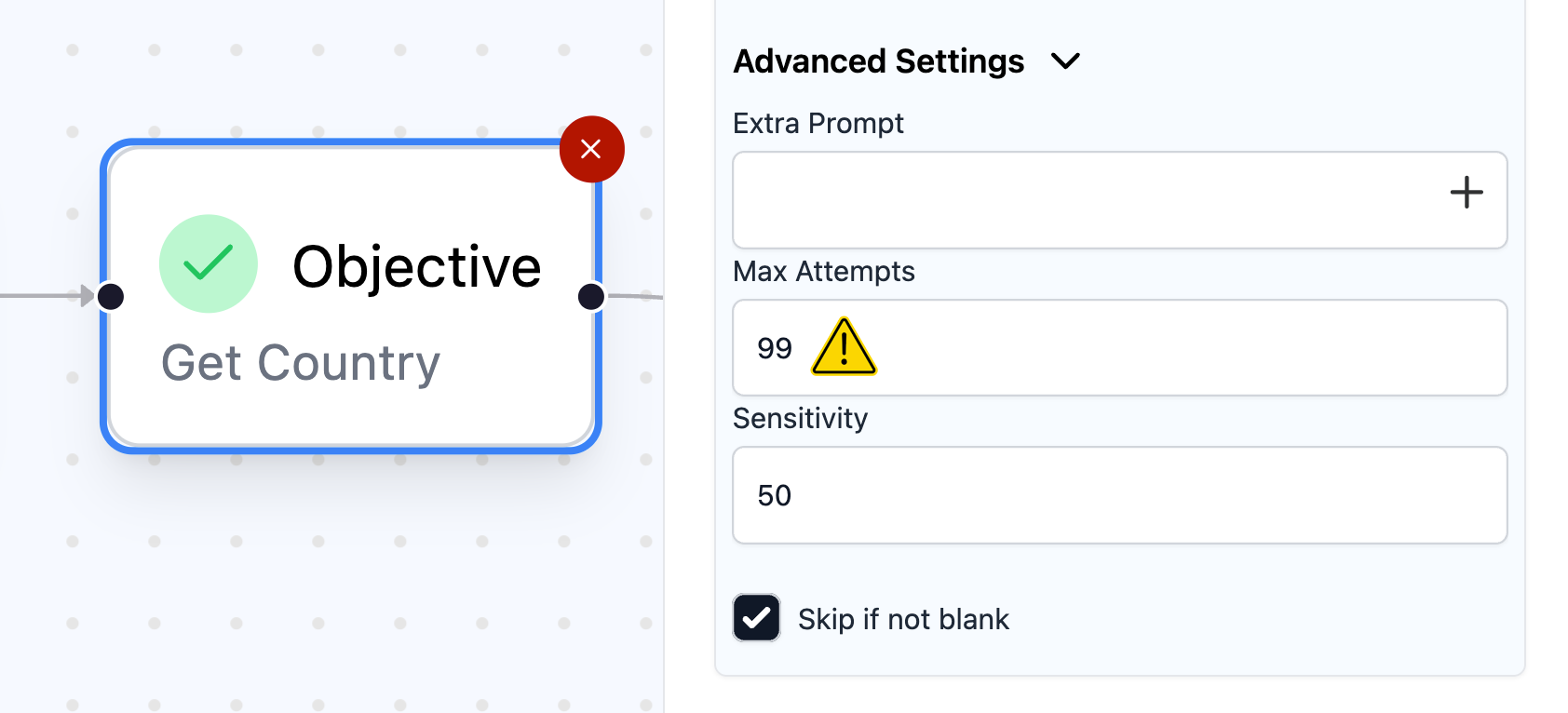
2. MaxAttempts = 99 (Groundhog-Day Chats)

Several Objectives (often inside MultiObjective blocks) are set to retry 99 times. That's not persistence—it's purgatory.

Why it hurts
  • Users ghost you—or type STOP
  • Carrier filters get suspicious
  • Transcripts look like hostage negotiations
How to solve / avoid
  • Cap at 3-5 polite tries for important fields; 2 for nice-to-have
  • Add a friendly fallback: "No worries—let's circle back later."
  • Tag gracefully (e.g., needs_follow_up) instead of looping
  • Pro tip (advanced): If a field is mission-critical, escalate after the final attempt (tag → human handoff), don't keep asking.
Side-by-side of 99 vs 3 MaxAttempts in settings

3. The Phantom Data Trap

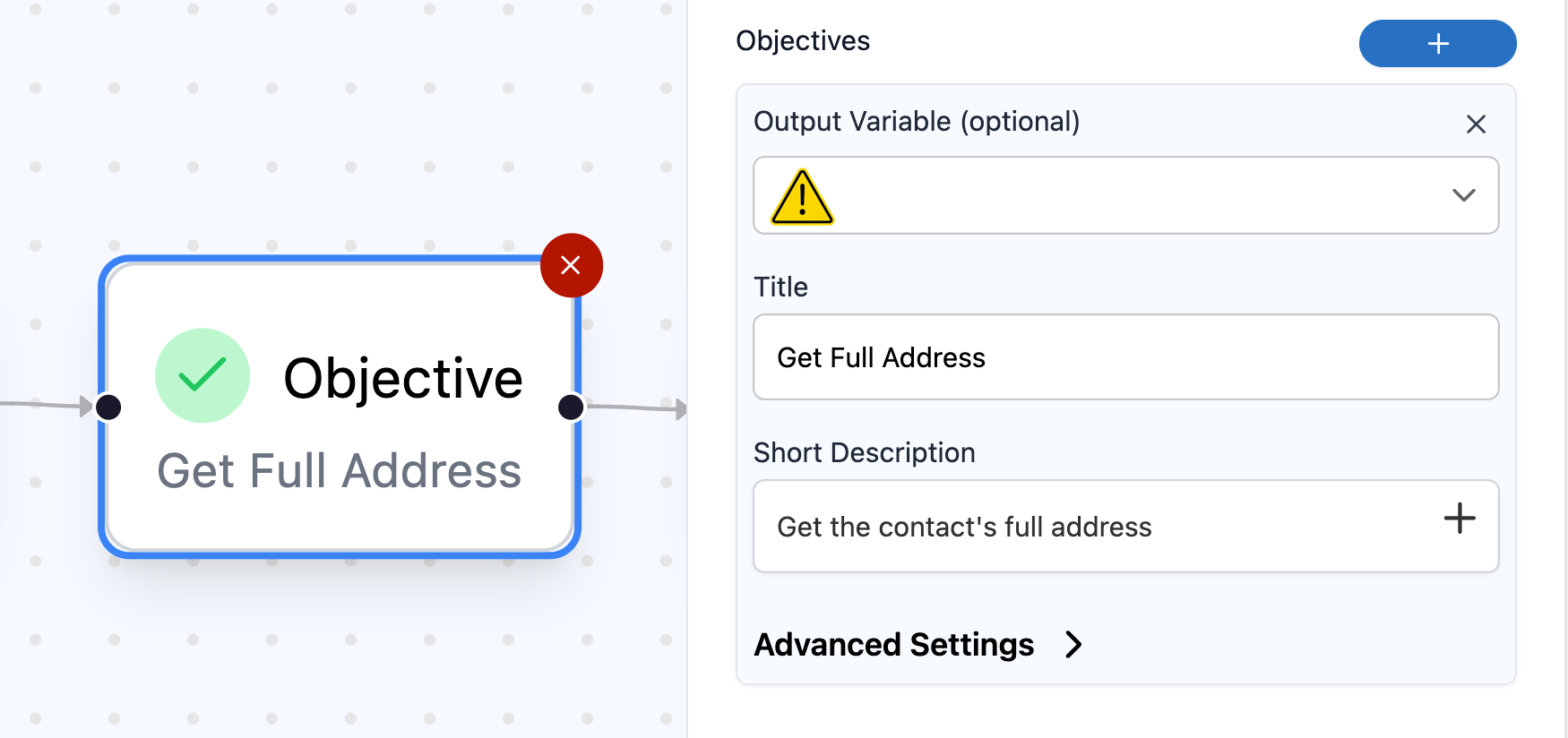
An Objective asks a valuable question (e.g., "What's your monthly ad spend?"), but its Output Variable is blank. CloseBot can still use that answer for internal branching later in the same flow, but it won't reach GHL—so reporting, personalization, and automations don't see it.

Why it hurts
  • CRM dashboards show blanks → weak segmentation
  • Follow-ups can't personalize ("You mentioned $___/mo")
Why it happens
  • Late-night edits; added a question and forgot to map the variable.
How to solve / avoid
  • Default practice: map each kept question to a real CRM field, e.g., contact.monthly_ad_spend.
  • Intentional exceptions: if you truly need an internal-only value, prefix it clearly (e.g., _local.intent_score) so teammates know it won't sync to GHL.
  • Quick QA: Do a "variable audit"—no empty Variable boxes unless they're deliberately .
Objective with empty vs filled Output Variable

4. Orphaned Nodes

A Booking, ModifyTags, Delay (Time/Variable), or Conversation node is disconnected—often because a connection was missed during edits or the node drifted just outside the canvas viewport. It looks harmless… until someone accidentally routes traffic into it.

Why it hurts
  • Leads can land on a dead end (no outbound edge)
  • Random actions fire later when someone reconnects lines
  • Debugging feels like chasing ghosts
How to solve / avoid
  • Before every publish: zoom out and run a connection audit; reconnect or delete orphans
  • Keep the canvas tidy; avoid off-screen islands
  • Add explicit End nodes after happy-paths to make intent obvious
  • Quick QA: Use the builder's zoom-out feature (or visually sweep the edges of the canvas) to catch off-screen strays.
Canvas shot with an orphan node circled

5. AI Re-guessing Known Data

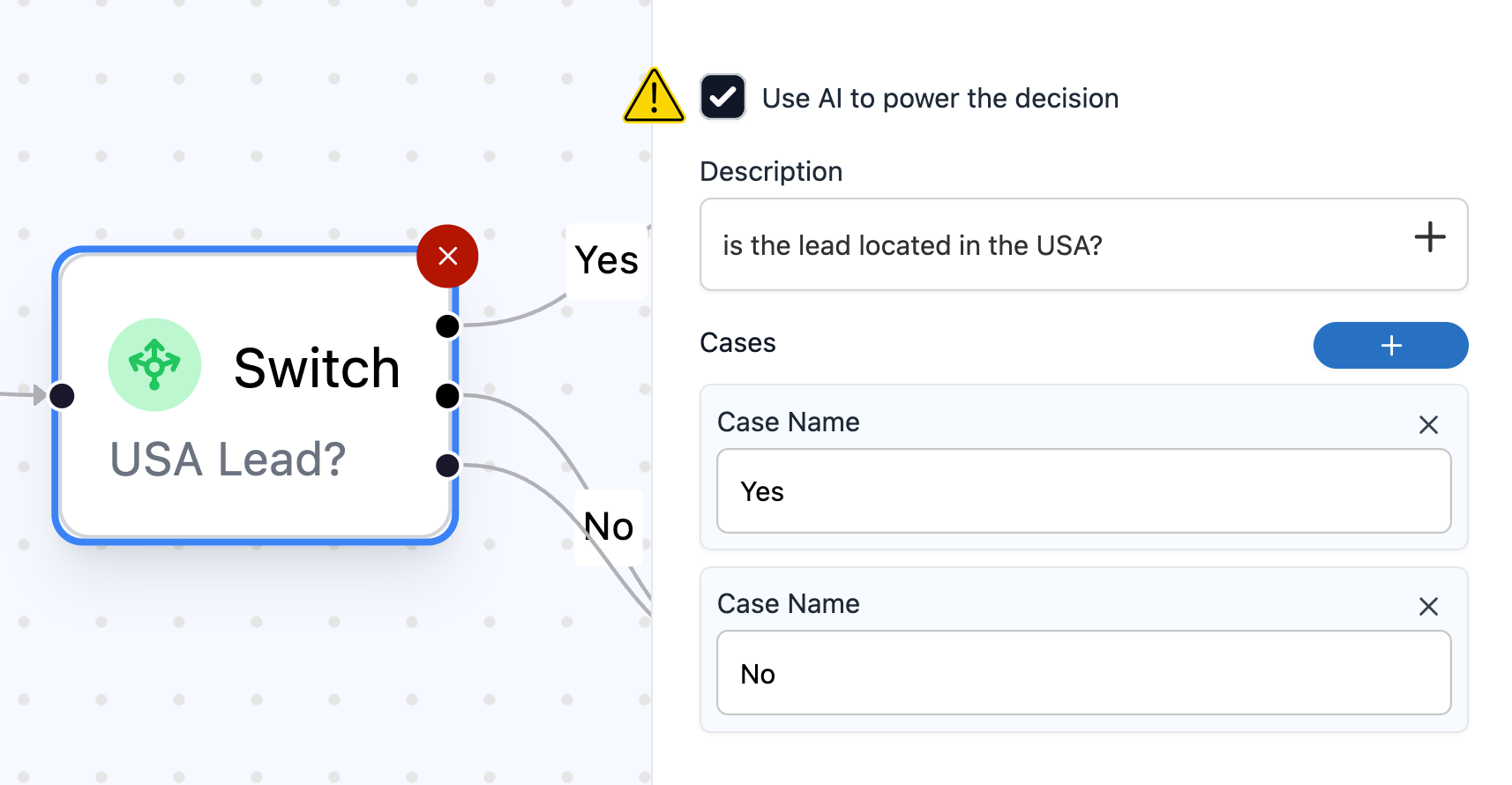
You capture "Buyer/Seller/Investor" in an Objective, store it in contact.lead_type… and then run an AISwitch to guess the same thing. Token spend goes up; accuracy goes down.

Why it hurts
  • Extra cost with no upside
  • Mis-routes when AI "reinterprets" a perfectly good answer
  • Users feel the bot forgot
How to solve / avoid
  • Capture once → Switch (Non-AI) on the saved variable
  • Reserve AISwitch for truly ambiguous cases where you don't have a field yet
  • Quick QA: After any Objective that stores a value, ensure the next decision uses a standard Switch on that variable—not another AISwitch.
Objective feeding a redundant AISwitch, with a suggested Switch replacement

6. The Silent Stall (the teaser favorite)

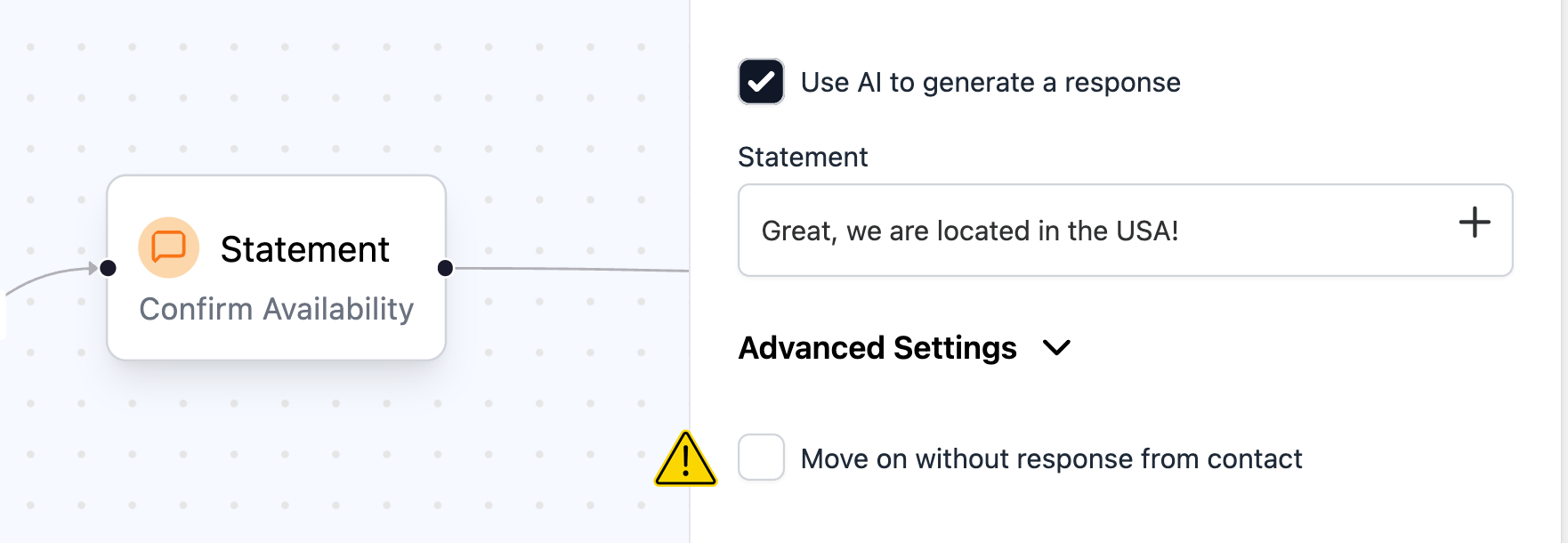
A Statement node is set to MoveOn=false but the lead doesn't know they are expected to reply. The bot asks… and then waits in silence because it has nowhere to go.

Why it hurts
  • Conversations die at the exact moment users are engaged
  • Zero bookings from perfectly good leads
How to solve / avoid
  • If you don't need a reply → set MoveOn=true
  • If you do → add explicit branches (Yes/No/Other) or switch to an Objective to capture the input
  • Quick QA: Search for MoveOn=false; confirm each hit has at least one reply branch.
Statement with MoveOn=false and zero branches

Pre-Publish Checklist

No Duplicate Questions

Ensure Skip-If-Not-Blank is ON to prevent robotic re-asks and reduce token burn.

Sane Retries

Keep MaxAttempts at 5 or less with a fallback to stop loops and preserve the user experience.

No Phantom Data

Map all outputs or document them as local to ensure data reaches your CRM.

No Orphaned Nodes

Connect all nodes to eliminate dead ends and prevent surprise actions.

Capture, Don't Re-guess

Use a Switch on known data instead of an AISwitch to lower costs and increase accuracy.

No Silent Stalls

Make sure any node with MoveOn=false has reply intent to keep the conversation flowing.

Want an easier way?

Our Check-Up Agent runs these checks in seconds—before prospects ever feel the bumps. Scan, get precise fixes, and publish with confidence.
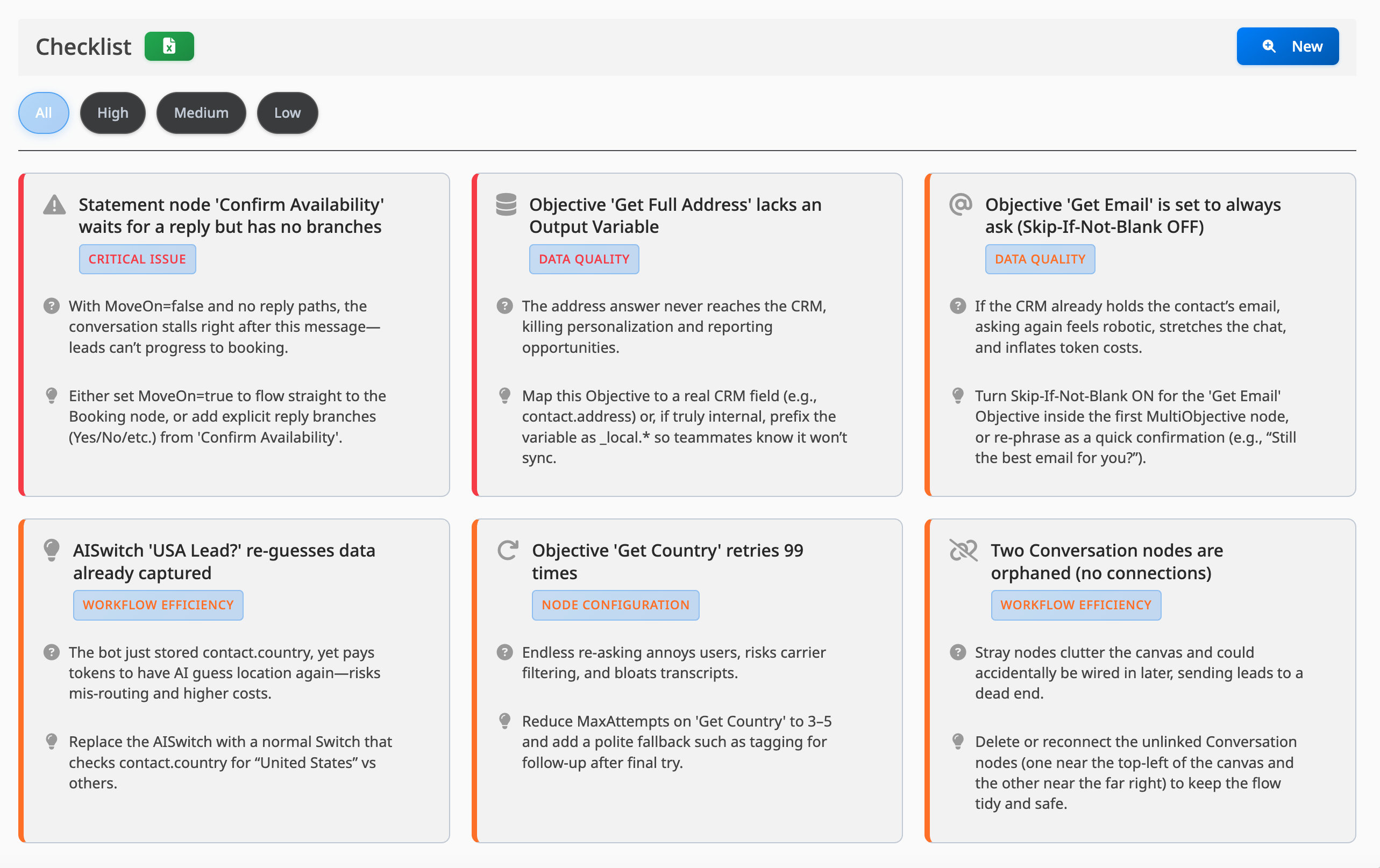
Screenshot from the agent checkup page